
Family tree
Free, no tracking, no data collected. Build a family tree and print it on one A4 page
A family tree maker that is free, does no tracking and collects no data. It runs entirely in your browser: no account, no sign-up, no cookies, no analytics.
Free
No fees, no ads, no premium tier. Every feature is available to everyone.
No tracking
No cookies, no analytics, no third-party scripts. The page only talks to its own site; the tutorial video loads from YouTube only if you press play.
No data collected
Your tree is stored only in your browser. Nothing you enter is sent anywhere.
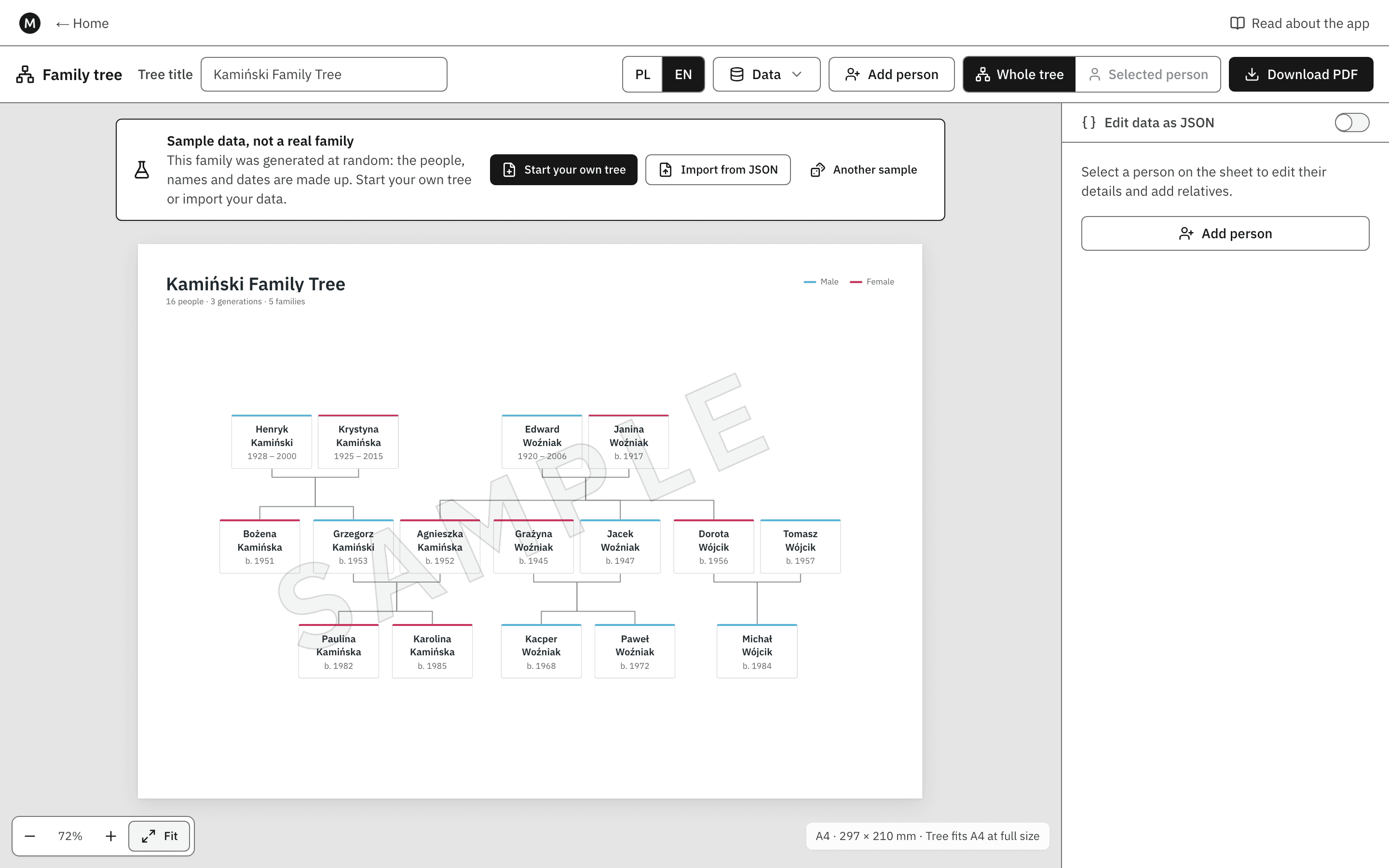
Add people and their parents, partners and children; the tree lays itself out by generation and always fits one landscape A4 sheet, ready to download as a PDF. Print the whole family or a single person's line. Your family data never leaves your browser: it is kept in IndexedDB on your device and can be exported and imported as JSON.
Video tutorial
A 45-second walkthrough: start a new tree, add the first person, then add their parents.
Plays from YouTube in privacy-enhanced mode. Nothing is loaded from YouTube until you press play. Watch on YouTube
Free, no tracking, no data collected
The app is free. There are no fees, no ads and no premium tier: every feature is available to everyone.
Nothing tracks you. There is no account and no sign-up, and the page sets no cookies, loads no analytics and no third-party scripts: every request it makes goes to this site only, for the page itself, its scripts and its fonts. The one exception is the tutorial video: it is loaded from YouTube (privacy-enhanced mode, youtube-nocookie.com) only if you press play.
No data is collected. The names, dates and relationships you enter are stored only in your browser's IndexedDB, on your device, and are never sent anywhere. Clearing the site's data in your browser deletes them, so export a backup if you want to keep your tree.
Like any website, the hosting provider keeps standard server logs of page requests; your family data is never part of them.
How it works
Building the tree
- Click a person on the sheet to edit their first name, surname, sex and dates. Dates are free text: a year (
1921) or a full date (12.03.1921). - Add a parent, partner, child or sibling from the side panel. A person has at most two parents; a child can be added with a known or unknown other parent.
- The layout is automatic: one row per generation, partners side by side, children under their parents, and the lines of different families kept apart.
Printing on A4
The sheet is an A4 landscape page (297 × 210 mm). The tree is centred on it and only ever scaled down, never up, so a large family still fits on one page. Download PDF writes that page as a vector PDF with the fonts embedded, so names with Polish letters print correctly. Choose Selected person to print one person's line only: them, their ancestors and descendants, and the other parent in each of those families.
Backups and JSON
Use Data → Export to JSON for a backup or to move the tree to another browser, and Import from JSON to restore it. The Edit data as JSON switch shows the whole tree as text: it is checked as you type, errors say exactly where the problem is, and changes apply only when the text is valid.
The sample family
On a first visit the editor shows a randomly generated, made-up family over three generations, marked Sample on the sheet and in the PDF. Start your own tree or import your data to replace it.
Data format
A tree is a list of people (id, firstName, lastName, sex as "m" or "f", born, died) and a list of unions: up to two partners and their children, oldest first. Exported files wrap it as { "format": "family-tree", "version": 1, "tree": … }.
The editor is available in English and Polish (EN / PL in its toolbar).